 ultimate-guide
Commercial Access Control for Retail: A 2026 Guide
Table of Contents
- What is Commercial Access Control for Retail?
- How Access Control Systems Work in Retail Environments
- Types of Access Control Technologies for Retail
- Retail Loss Prevention Technology Integration
- Access Control System Installation Cost and ROI
- ADA Compliance for Retail Door Hardware
- Cloud-Based vs. On-Premise Access Control Solutions
- Key Components and System Integration
Last Updated: August 27, 2026
What is Commercial Access Control for Retail?
Commercial access control for retail manages who can enter specific areas of a retail facility at specific times, replacing traditional locks and keys with electronic authentication methods like cards, fobs, mobile credentials, or biometric data. For retail businesses, this means controlling entry to stockrooms, cash offices, employee areas, and back-of-house operations where inventory and sensitive assets live.
When a credential holder approaches a reader, the system verifies their identity and permissions against a database, and an electronic door lock engages or disengages. The real value lies deeper: access control systems create audit trails that log every entry and exit by employee, time, and location. You know exactly who accessed the stockroom at 11 PM on a Tuesday and can correlate access logs with inventory discrepancies to identify patterns suggesting employee theft or unauthorized area access.
For retail businesses, the decision to implement commercial access control isn't just about security theater, it's about data-driven loss prevention, compliance with insurance requirements, and operational control over who moves through your facility when.
How Access Control Systems Work in Retail Environments
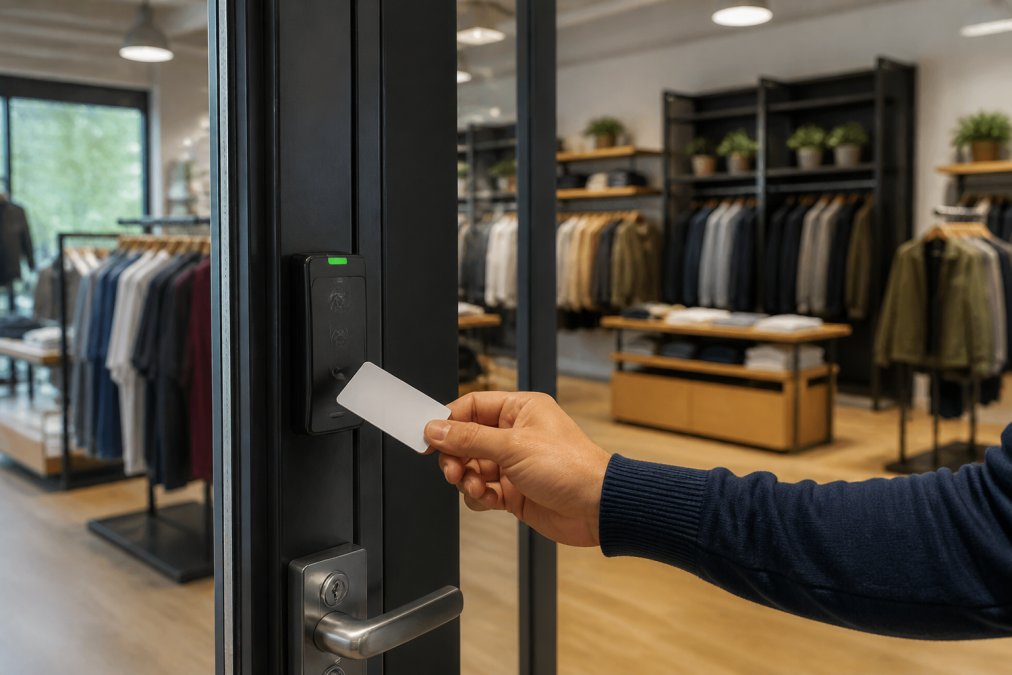
A retail employee approaches an electronic door lock with their access credential, a card, fob, or smartphone. The credential broadcasts an identifier via RFID technology or Bluetooth. A proximity reader mounted near the door receives that signal and sends it to a door controller, which is a small computer that makes the access decision.
The door controller checks the credential against its database: Does this employee have permission to enter this door? Is it within their authorized time window? Has their access been revoked? If all conditions are met, the controller sends a signal to the magnetic lock or electric strike, which releases the door. The entire transaction takes milliseconds.
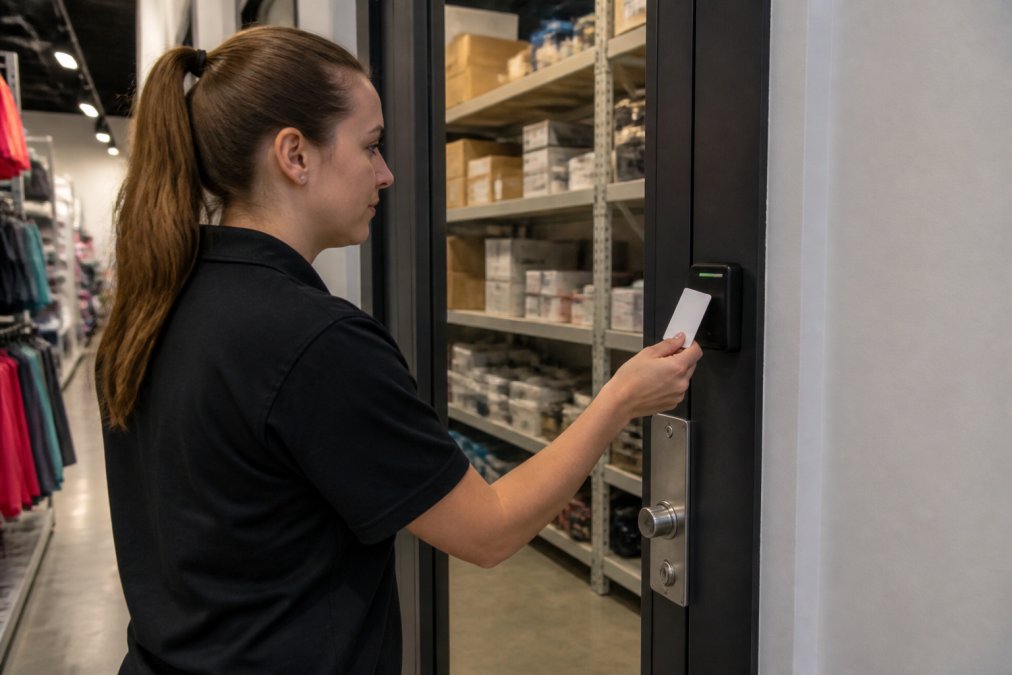
Every transaction is logged: the credential ID, the door accessed, the time, and whether access was granted or denied. Over days and weeks, that log becomes a forensic record. If inventory goes missing from a locked stockroom, you can pull the access log and see exactly which employees entered that room and when. That level of accountability changes behavior.
The system architecture typically includes three layers: the credential (what the employee carries), the reader (what detects the credential), and the controller (what makes the decision). Some retail operations add a fourth layer, cloud-based software, that centralizes management across multiple locations, enabling real-time monitoring, remote access provisioning, and integration with video surveillance or alarm systems.
Fail-safe versus fail-secure is a critical design choice. A fail-safe lock releases when power is lost, useful for emergency egress. A fail-secure lock remains locked during power loss, useful for high-security areas. Most retail stockrooms use fail-secure because you don't want inventory accessible if the power goes out.
Types of Access Control Technologies for Retail
Retail environments typically deploy one of three credential types, sometimes in combination.
Card-Based and RFID Systems
Proximity cards and key fobs remain the dominant credential type in retail because they're cheap to produce, durable, and require no employee behavior change. The RFID technology inside operates at a short range, typically 3 to 12 inches, which prevents accidental reads from a distance (peer-reviewed research).
The weakness is obvious: cards and fobs get lost, stolen, or shared. RFID-based commercial access control for retail works best when paired with strong credential management policies, immediate deprovisioning of terminated staff, regular audits of active credentials, and clear rules about credential sharing.
RFID technology is passive on the credential side, meaning the card or fob requires no battery. The reader powers the chip when it comes into range. That simplicity is why they're so reliable and cost-effective. Modern retail-grade systems use encrypted credentials that are much harder to duplicate than older systems.
Mobile Credentials and Biometric Authentication
Mobile credentials, where an employee's smartphone becomes the access credential, are growing in retail because they solve the "lost credential" problem. The phone stays with the employee, and access is revoked instantly through software. Multi-factor authentication adds another layer: an employee might use their phone as the credential but still need to enter a PIN or scan their fingerprint to unlock the door.
Biometric authentication, fingerprint, iris scan, or facial recognition, eliminates the credential entirely. For retail, biometric systems are most practical in high-security areas like cash offices or pharmacy stockrooms where the number of authorized users is small. The trade-off is cost: biometric readers are more expensive than RFID readers, and the infrastructure to support them adds complexity. Mobile credentials sit in the middle: cheaper than biometric systems but requiring IT support to manage provisioning.
Retail Loss Prevention Technology Integration
The real value of commercial access control for retail emerges when access logs are cross-referenced with inventory data, video surveillance, and point-of-sale systems.
A common scenario: inventory audits show a specific SKU is missing from the stockroom, but no sale was recorded. You pull the access logs for that stockroom and see that only three employees accessed it in the relevant time window. You cross-reference with video surveillance and see that one employee spent 12 minutes in the stockroom versus the typical 2-3 minutes for legitimate restocking. That pattern, unauthorized area access, extended time, no corresponding sale, is a red flag for internal theft.
Access control systems also prevent "ghost entries." Without electronic logging, an employee might deny being in the stockroom at a certain time. The access log is indisputable. That accountability alone deters many opportunistic thefts.
Integration with alarm systems adds another layer. If an employee accesses a secure area outside normal business hours, the system can trigger an alert to management or security. If a terminated employee's credential is used after their employment ends, the system flags it immediately. For retail chains with multiple locations, centralized access control software lets you manage credentials, permissions, and audit trails across all stores from a single dashboard.
Access Control System Installation Cost and ROI
The cost structure for commercial access control for retail breaks into hardware, software, installation, and ongoing maintenance. Hardware includes readers, door controllers, magnetic locks or electric strikes, and wiring. Software includes the access control platform and any integration middleware.
Pricing depends on the scope, the number of doors, the complexity of the credential types, whether it's cloud-based or on-premise, and whether you integrate with existing security systems. Rather than estimate, contact SOUTHMIAMILOCKSMTIH.COM for a site assessment and quote tailored to your specific needs.
The ROI case for commercial access control for retail centers on loss prevention and operational efficiency. Additional benefits include reduced emergency lockout calls, faster employee onboarding through instant credential provisioning, and reduced liability if an unauthorized person accesses a secure area and is injured.
Insurance companies often offer premium discounts for retail locations with documented access control systems because the audit trail reduces claims and liability exposure. That discount alone can offset annual maintenance costs.
ADA Compliance for Retail Door Hardware
Any electronic door lock or access control reader installed in a retail space must comply with the Americans with Disabilities Act (ADA). Door hardware must be operable by a single hand without tight grasping, pinching, or twisting. Push buttons should be at least 1.25 inches in diameter, and proximity card readers should be mounted so that a person in a wheelchair can reach and use them. The ADA Standards for Accessible Design specify that accessible controls must be mounted between 15 and 48 inches above the floor.
Emergency egress is non-negotiable. In an emergency, occupants must be able to exit without using an access credential. That typically means the fail-safe lock releases when the fire alarm triggers, or a manual push-to-exit button overrides the electronic lock. The National Fire Protection Association's Life Safety Code requires that emergency exits remain unobstructed and functional at all times.
For retail locations with public areas, accessible restrooms, or employee break rooms, the doors don't need access control. But doors to employee-only areas, stockrooms, and secure zones must meet ADA standards if they have electronic locks. Many retail operators install readers at standard height without considering wheelchair accessibility. SOUTHMIAMILOCKSMTIH.COM can assess your current door hardware and recommend adjustments to bring your commercial access control for retail system into compliance with ADA standards.
Cloud-Based vs. On-Premise Access Control Solutions
On-premise systems store the access database and run the access control logic on hardware located at your facility. If your internet connection goes down, the system continues to function because it's not dependent on cloud connectivity. The downside is operational overhead: you're responsible for server maintenance, software updates, backup power supplies, and disaster recovery.
Cloud-based systems move the database and decision logic to a remote server managed by the access control provider. The advantage is simplicity: you don't manage servers, backups, or software updates. The disadvantage is dependency on internet connectivity. Most cloud-based systems include a local cache that allows the door controller to make offline decisions for a limited time.
For multi-location retail chains, cloud-based commercial access control for retail is almost always the better choice because it enables centralized management, real-time visibility across locations, and easier credential provisioning for employees who move between stores. For single-location retailers, on-premise might make sense if you have strong IT support and want to avoid internet dependency.
| Aspect | Cloud-Based | On-Premise |
|---|---|---|
| Internet Dependency | Required | Not required |
| Management Overhead | Minimal | Significant |
| Multi-location Support | Excellent | Complex |
| Initial Cost | Lower | Higher |
| Scalability | Easy | Requires planning |
| Offline Functionality | Limited cache | Full functionality |
Key Components and System Integration
A complete commercial access control for retail system comprises several hardware and software components working in concert.
The credential is what the employee carries or presents, cards, fobs, smartphones, or biometric templates. The reader detects the credential: proximity readers use RFID, mobile credential readers use Bluetooth or NFC, and biometric readers capture fingerprints or facial features. The door controller is a small computer that makes the access decision by checking the credential against its database and sending a signal to the lock mechanism if access is granted.
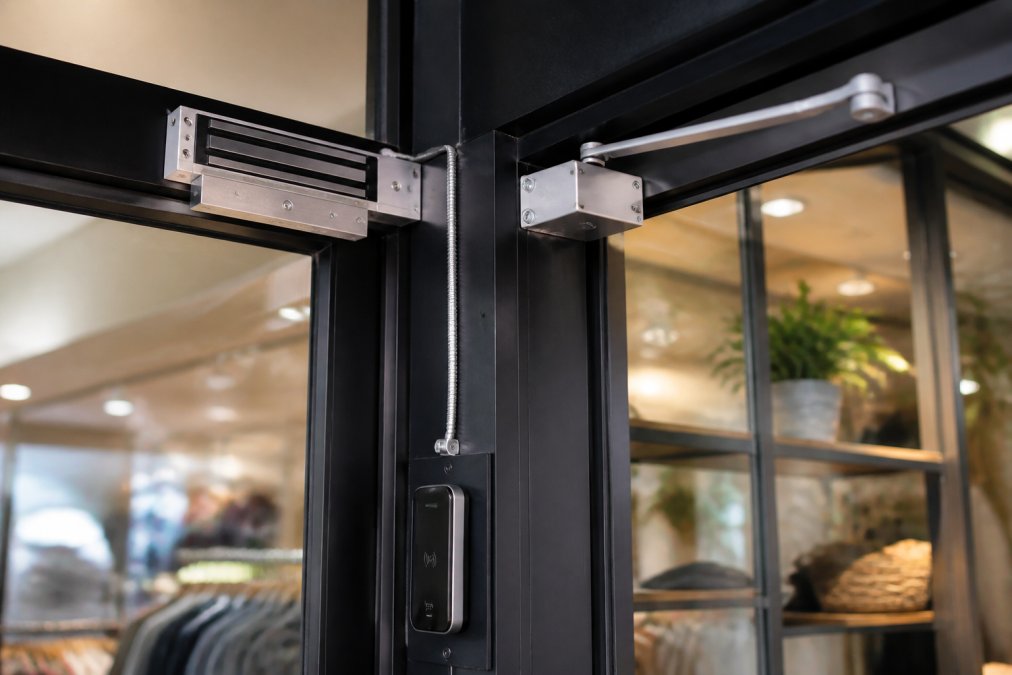
The lock mechanism is the physical device that secures or releases the door. Magnetic locks use electromagnetic force to hold the door closed and release when the controller de-energizes them. Electric strikes replace the strike plate on a traditional door frame and release the latch when energized.
The access control software is the management platform where administrators define permissions, manage credentials, and review audit trails. It's either installed on a local server (on-premise) or accessed through a web browser (cloud-based). Integration points multiply the value: video surveillance systems can be triggered to record when specific doors are accessed, alarm systems can receive alerts if unauthorized access is attempted, and point-of-sale systems can be integrated to flag suspicious patterns.
Retail security doesn't end at the front door. The real challenge is preventing loss from inside your facility, controlling who accesses high-value inventory, creating accountability through audit trails, and detecting patterns that suggest theft or misuse. Commercial access control for retail provides that visibility and control in a way that traditional locks never can.
If you're managing a retail location and considering a security upgrade, SOUTHMIAMILOCKSMTIH.COM can assess your current setup and recommend an access control system designed for your specific loss prevention challenges. Our team has over 30 years of experience with commercial security installations, and we're certified in high-security lock systems like Medeco and Multlock. We can design a system that integrates with your existing infrastructure, meets ADA compliance requirements, and gives you the operational intelligence you need to protect your assets. Contact us for a consultation and quote.
Frequently Asked Questions
Q: What is commercial access control?
A: Commercial access control is a security system that manages who enters and exits specific areas of a retail store. It combines hardware like electronic door locks and proximity readers with centralized software that tracks user permissions and access logs. This prevents unauthorized entry to stockrooms, cash handling areas, and administrative spaces, reducing theft and improving operational efficiency.
Q: How does access control improve retail loss prevention?
A: Access control systems restrict entry to high-risk areas such as inventory storage and cash registers based on employee roles and shift schedules. Real-time monitoring and audit trails create accountability, deterring internal theft. Integration with video surveillance and threat detection alerts helps identify suspicious activity. Multi-factor authentication and mobile credentials add security layers that prevent credential sharing or unauthorized access.
Q: What are the main types of access control technologies for retail?
A: Retail access control uses three primary technologies: card-based systems (magnetic stripe or proximity cards), RFID technology (contactless badges), and mobile credentials (smartphone-based access). Biometric authentication using fingerprints or facial recognition adds security for sensitive areas. Each technology varies in cost, ease of use, and integration capability. Cloud-based systems offer remote management, while on-premise solutions provide greater control over data encryption and system infrastructure.
Q: What should I expect to pay for access control system installation?
A: Installation cost depends on store size, number of access points, credential types, and whether you choose cloud-based or on-premise solutions. Factors include hardware (door controllers, electronic locks, readers), software licensing, integration with existing systems, and professional installation. Request a quote from licensed security professionals who can assess your specific retail layout and loss prevention needs. Total cost of ownership includes maintenance, credential replacements, and software updates over time.
Q: Are access control systems required to meet ADA compliance?
A: Yes, retail door hardware and access control systems must comply with ADA standards. Electronic doors must operate without excessive force, provide adequate time for passage, and include fail-safe mechanisms that allow exit during power loss. Magnetic locks and electric strikes must meet specific pressure requirements. Proximity readers and credential systems should be positioned at accessible heights. Professional installation ensures your system meets ADA requirements and local building codes.
Q: What is the difference between cloud-based and on-premise access control?
A: Cloud-based systems store data on remote servers, enabling remote access, real-time monitoring, and automatic updates from any location. On-premise solutions keep all data and software on local hardware, offering greater control over data encryption and system independence. Cloud systems reduce upfront infrastructure costs but depend on internet connectivity. On-premise systems require more maintenance but provide offline operation capability. Many retailers choose hybrid approaches for redundancy and flexibility.
Q: Can I integrate access control with video surveillance?
A: Yes, modern access control systems integrate with video surveillance to create comprehensive security. When someone uses a credential to enter a restricted area, the system can trigger camera recording and timestamp video footage with access logs. This integration improves threat detection and provides evidence for investigating unauthorized access or inventory discrepancies. Centralized software allows security personnel to monitor both access events and video feeds simultaneously.
Q: What security risks are associated with mobile credentials?
A: Mobile credentials stored on smartphones offer convenience but introduce risks if devices are lost, stolen, or compromised. Data encryption protects credentials during transmission, but multi-factor authentication adds essential security layers. Employees should use device lock screens and enable remote wipe capabilities. Credential management systems should allow instant credential revocation if a phone is reported missing. Pairing mobile access with biometric authentication or PIN verification significantly reduces unauthorized access risk.
This article was written using GrandRanker