 how-to
How to Change Safe Combination Electronic
Table of Contents
- How to Change Safe Combination Electronic: What You Need to Know
- How to Reset an Electronic Safe Code
- Electronic Safe Keypad Instructions
- Troubleshooting When Electronic Safe Code Not Working
- When to Use a Safe Combination Change Service
- Tools and Materials You'll Need
- Common Mistakes to Avoid
- Maintaining Your Electronic Safe After a Code Change
- Frequently Asked Questions
Last Updated: October 12, 2026
How to Change Safe Combination Electronic: What You Need to Know
Changing your electronic safe combination is straightforward when you know the right steps, and most homeowners and property managers can do it themselves in minutes.
An electronic safe combination is the numerical code you enter on your safe's keypad to unlock it. Unlike traditional dial safes, electronic safes use batteries and keypads. If you've forgotten your code, want to update it for security, or need to grant access to a family member or employee, changing your electronic safe combination is essential.
This guide covers everything from locating your reset button to troubleshooting common problems, and when to call a professional. Whether you're securing valuables at home or managing a commercial property, knowing how to change safe combination electronic keeps your security working the way you want.
How to Reset an Electronic Safe Code
The process for resetting your electronic safe code depends on your model, but most follow a similar pattern: find your reset mechanism and follow the manufacturer's instructions carefully.
Locate the Reset Button or Override
Most electronic safes have a reset button hidden somewhere on the unit. Check these common locations:
- Behind the keypad (you may need to remove it)
- Inside the safe door
- On the back or bottom of the unit
- Under a removable panel near the lock mechanism
Look for a small button labeled "Reset" or "Master Reset." Some safes use a pinhole that requires a paperclip. Check your manual first, it will tell you exactly where the reset button is for your model.
If you've lost your manual, contact the manufacturer directly; they can confirm the reset location and may ask you to verify ownership.
Enter Your Current Code
Before setting a new code, enter your current combination to prove authorized access. Open the safe normally with your existing code; if you've forgotten it, use the override method or contact a professional locksmith. Once open, look for the reset button. Some safes require the door open while resetting, others allow it closed; your manual will specify.
Create Your New Combination
After locating and activating the reset button, your safe is ready for a new code. Follow these steps:
- Press the reset button for the time specified in your manual (usually 3-5 seconds)
- Listen for a beep or watch for a light indicator confirming reset mode
- Enter your new code on the keypad
- Press the button labeled "Enter" or "#" to confirm
- Re-enter your new code to verify it was saved correctly
Choose a code that's easy for you to remember but hard for others to guess. Avoid birthdays, anniversaries, or sequential numbers like 1234; a random mix is more secure. Test your new code several times before closing the safe. If it doesn't work after three attempts, the safe may have exited reset mode and you'll need to start over.
Electronic Safe Keypad Instructions
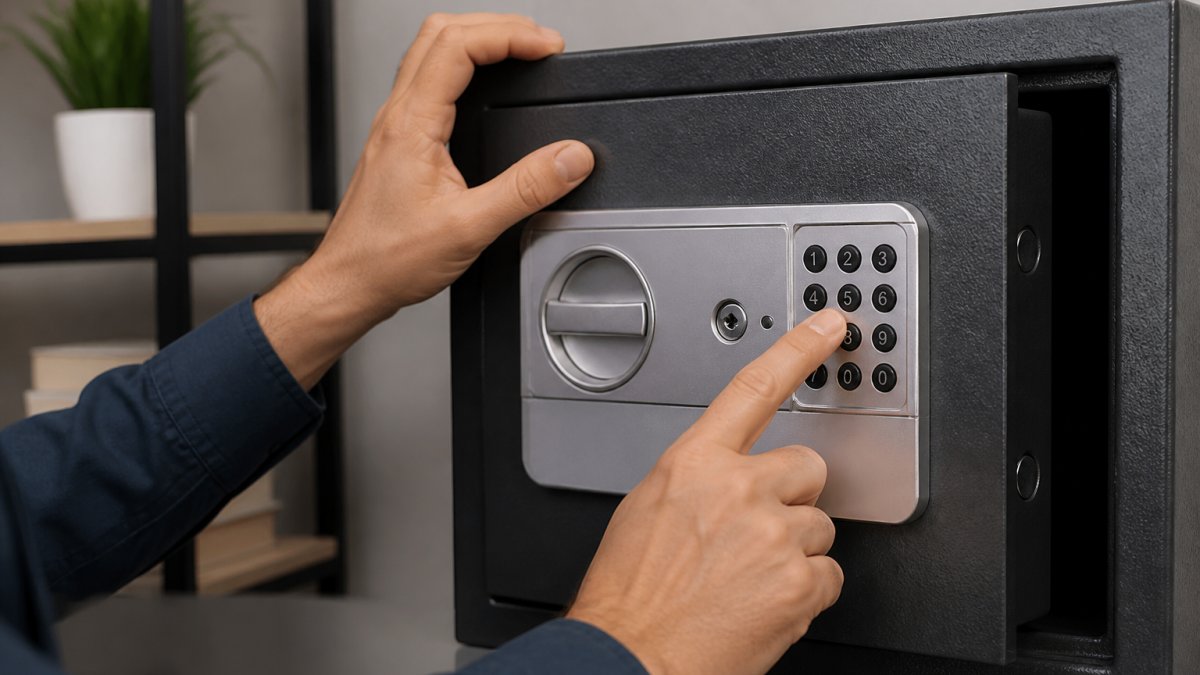
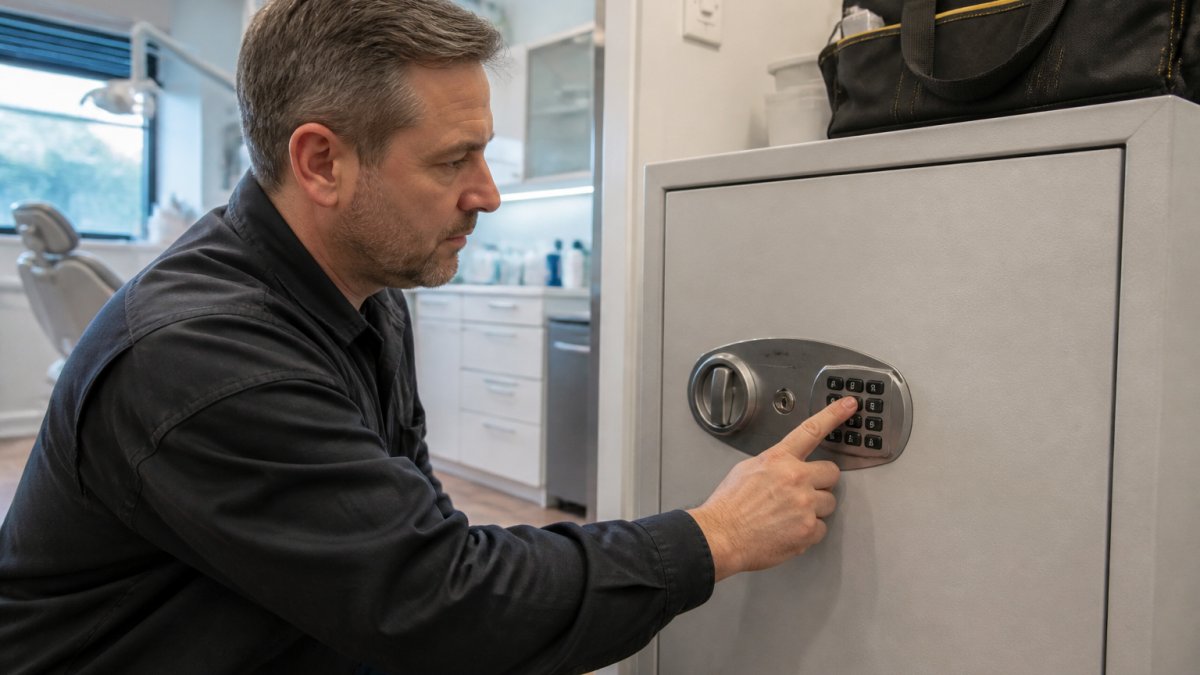
Understanding your keypad is the first step toward confidently changing your safe combination electronic code, since safes have different layouts and operating modes.
Understanding Your Keypad Type
Electronic safes use one of three main keypad types: membrane keypads, mechanical push-button keypads, or digital touch screens.
Membrane keypads are the most common in residential safes: thin, flat, and durable, with numbers printed on a flexible surface. Mechanical push-button keypads use physical buttons that click when pressed, found on higher-end and commercial safes for their reliability in heavy-use environments. Digital touch screens appear on newer, premium safes, displaying menus and prompts on a small LCD screen but requiring battery power. Regardless of type, the basic process for changing your code is similar; the main difference is how you navigate menus and confirm entries.
Programming Mode vs. Access Mode
Your keypad operates in two distinct modes: access mode and programming mode.
Access mode is what you use every day: enter your code and the keypad unlocks the door when the correct digits are entered. Programming mode is activated only to change your code or adjust settings, letting you enter a new code, set time delays, or configure other features depending on your model.
To enter programming mode, you typically need to press a specific sequence of buttons or hold down a button for several seconds. Your manual will provide the exact sequence. Common methods include:
- Holding the "*" button for 5 seconds
- Pressing "#" followed by your current code
- Pressing a hidden button inside the safe door
Once in programming mode, the safe usually gives a signal, a beep, light flash, or screen message, to confirm you're ready to proceed. At this point, you can enter your new code.
Troubleshooting When Electronic Safe Code Not Working
When your electronic safe code stops working, the cause is usually simple. Before assuming the worst, check these common issues.
Dead Batteries and Power Loss
The most frequent reason an electronic safe code not working is dead batteries, since electronic safes rely on battery power for the locking mechanism and keypad. If your safe won't respond to any code, check the battery compartment (usually on the back of the safe or inside the door); most safes use AA or 9V batteries. Replace them with high-quality alkaline batteries, which last longer than generic brands, then try your code again.
Some safes have a low-battery indicator. You might see a red light, hear a slow beep, or see a message on the screen. Replace batteries as soon as you see these warnings.
Keypad Malfunction or Unresponsive Buttons
If some buttons work while others don't, you may have a stuck or damaged button, since dust, dirt, or debris can prevent a press from registering. Clean the keypad gently with a slightly damp cloth, using only a small amount of water, and let it dry completely before trying again. For membrane keypads, pressing each digit firmly but not aggressively sometimes helps. If cleaning doesn't help, the button may be physically damaged and you'll need professional help to replace the keypad or repair the electronics.
Code Entry Errors and Lockout
If you enter the wrong code multiple times, your safe may lock you out temporarily as a security feature to prevent repeated guessing. Wait 15-30 minutes before trying again; most safes reset the lockout timer after this period, though you should check your manual for the exact duration. When you try again, enter your code slowly and deliberately, pausing briefly between digits, since some safes require specific timing and too fast or too slow can cause an error.
If you're certain you're entering the correct code but it's not working, try these steps:
- Make sure the safe is powered (batteries installed and working)
- Clear any previous entries by pressing the reset or clear button
- Enter your code again, pausing between digits
- Press the enter button firmly to confirm
If none of these steps work, your safe may need professional attention.
When to Use a Safe Combination Change Service
Changing your electronic safe combination electronic yourself works well in most situations. However, some circumstances call for professional help.
You should contact a locksmith if:
- You've forgotten your code and have no backup
- Your safe won't respond to any code you try
- The reset button isn't working or you can't locate it
- Your keypad is damaged or unresponsive
- You've tried multiple times and the safe still won't open
- Your safe is under warranty and you want professional service
SOUTHMIAMILOCKSMTIH.COM specializes in safe repair and combination services. Our certified technicians can change your code, repair damaged keypads, replace batteries, and handle emergency lockouts. If you're unsure whether you can safely change your code without damaging the safe, professional service is the smart choice.
Tools and Materials You'll Need
Changing your electronic safe combination electronic requires minimal tools, most of which you probably already have at home.
| Item | Purpose | Where to Find |
|---|---|---|
| Fresh batteries (AA or 9V) | Power the safe | Hardware store or home |
| Flashlight | Illuminate the safe interior | Home or smartphone |
| Small screwdriver set | Remove panels if needed | Home toolbox |
| Paperclip or thin tool | Activate pinhole reset buttons | Home or office |
| Safe manual or model number | Reference instructions | Safe documentation |
Gather all these items before starting to avoid frustration mid-process. If you don't have your safe's manual, search online using your safe's brand and model number; most manufacturers post manuals as PDF downloads.
Common Mistakes to Avoid
Understanding what not to do is just as important as knowing what to do. These mistakes can lock you out or damage your safe.
Pressing buttons too quickly. Electronic safes need time to register each digit. If you enter your code too fast, the safe may not recognize it. Pause for a half-second between each number.
Forgetting to confirm your entry. After entering your new code, you must press the "Enter" or "#" button to save it. Skipping this step means your code never gets saved, and you'll be locked out.
Maintaining Your Electronic Safe After a Code Change
Once you've successfully changed your electronic safe combination electronic, proper maintenance keeps it working reliably. Check your batteries every six months, marking your calendar as a reminder, since batteries lose power gradually and replacing them before they die prevents lockouts. Keep your keypad clean and dry, wiping it occasionally with a dry cloth and avoiding spraying cleaners directly on it, as moisture can damage the electronics.
For commercial safes or high-security units, schedule annual professional maintenance. SOUTHMIAMILOCKSMTIH.COM offers maintenance services that inspect your safe, test all functions, and identify potential issues before they become serious.
Changing your electronic safe combination electronic should be straightforward when you follow the right steps. Most homeowners can handle this task in minutes. But if you run into problems, forgotten codes, unresponsive keypads, or lockouts, professional help is just a call away. SOUTHMIAMILOCKSMTIH.COM's certified technicians can resolve any combination or access issue quickly. Whether you need emergency lockout service or routine maintenance, we're here to keep your valuables secure. Contact us for prompt, professional safe repair and combination services.
Frequently Asked Questions
How do I change the combination on an electronic safe?
Most electronic safes require you to enter your current code, then press the program or reset button. Enter your new code twice to confirm. The exact steps depend on your safe model, check your manual or the manufacturer's instructions. If you've lost the current code, you may need a professional locksmith to reset it using a master override or backup access method.
Can I change my electronic safe code without the current code?
No, you typically cannot change the combination without knowing the current code. Electronic safes are designed this way for security. If you've forgotten your code, contact a professional safe combination change service. A licensed locksmith can verify your ownership and use specialized tools or master codes to reset the safe without damaging it.
What should I do if my electronic safe code not working after I change it?
First, verify you entered the new code correctly during programming. Check your keypad for stuck buttons or debris. If the safe still won't open, replace the batteries, low power can cause entry failures. If the code still doesn't work, the keypad may be malfunctioning. Document what you've tried and contact a professional locksmith to diagnose the issue without forcing the safe.
How often should I change my electronic safe combination?
Change your code annually or whenever someone with access moves out or is no longer trusted. If you suspect the code has been compromised, change it immediately. For residential safes, annual changes are a good security practice. For business safes holding sensitive items, consider changing codes quarterly or whenever staff turnover occurs.