 ultimate-guide
Upgrading Office Building Security Systems: A 2026 Guide
Table of Contents
- Why Upgrading Office Building Security Systems Matters
- Assessing Your Current Security Infrastructure
- Commercial Access Control System Installation Essentials
- Integrating Video Surveillance With Access Control
- Cost of Commercial Security System Upgrades
- Compliance, Interoperability, and Future-Proofing
- Implementation and Post-Upgrade Training
- Frequently Asked Questions
Last Updated: September 2, 2026
Why Upgrading Office Building Security Systems Matters
Security breaches in commercial properties cost businesses far more than the systems themselves. When you're managing an office building, the stakes extend beyond protecting equipment, you're safeguarding employee safety, client data, and operational continuity. A modern office building security system integrates access control, video surveillance, and intrusion detection into a unified platform that responds in real time.
The difference between legacy systems and current technology is stark. Older installations operate in silos: a door lock here, a camera there, an alarm somewhere else. When an incident occurs, information doesn't flow between systems. Modern office building security systems eliminate that fragmentation. They communicate across devices, trigger automated responses, and create a complete audit trail.
At SOUTHMIAMILOCKSMTIH.COM, we've spent over 30 years helping commercial property managers understand why upgrades matter now. Most businesses delay until a security incident forces their hand. By then, the damage is already done. A proactive approach to upgrading office building security systems prevents that scenario entirely.
The real value isn't just in preventing break-ins. It's in compliance. Regulations around data protection, workplace safety, and facility access have tightened significantly (osha.gov). Older systems often don't meet current standards. An upgrade ensures your building meets regulatory requirements and protects your organization from liability.
Assessing Your Current Security Infrastructure
Before you commit to upgrading office building security systems, you need an honest assessment of what you have. Many building managers inherit systems they don't fully understand. Legacy equipment may still function, but "working" doesn't mean "adequate."
Start by documenting your current setup. What type of locks do you have? Are they mechanical, electronic, or a mix? How old is your video surveillance equipment? Is it analog CCTV or IP-based? Do you have intrusion detection, or just door sensors? Write down the manufacturer and installation date for each component.
Next, identify gaps. Can your access control system integrate with your video surveillance? If someone gains unauthorized entry, do you know it immediately, or do you discover it during a routine check? Can you remotely manage access permissions, or do you need someone on-site to change locks? These questions reveal whether your current infrastructure supports modern security operations.
Test your system's responsiveness. Trigger an alarm and time how long it takes for notification to reach the right person. Check whether your video system captures footage in adequate resolution and lighting. Verify that access logs are detailed enough to show who entered which areas and when. Gaps in any of these areas indicate where upgrades will have the most impact.
Consider the physical condition of hardware. Cameras corroded by weather, locks with worn mechanisms, and wiring exposed to damage all signal that replacement is approaching anyway. An upgrade gives you the chance to address these issues systematically rather than reactively.
Commercial Access Control System Installation Essentials
A commercial access control system is the foundation of modern office building security systems. It replaces traditional key-based access with electronic credentials, biometric authentication, or mobile-based entry. The system tracks every access event and can enforce granular permissions across different areas of your building.
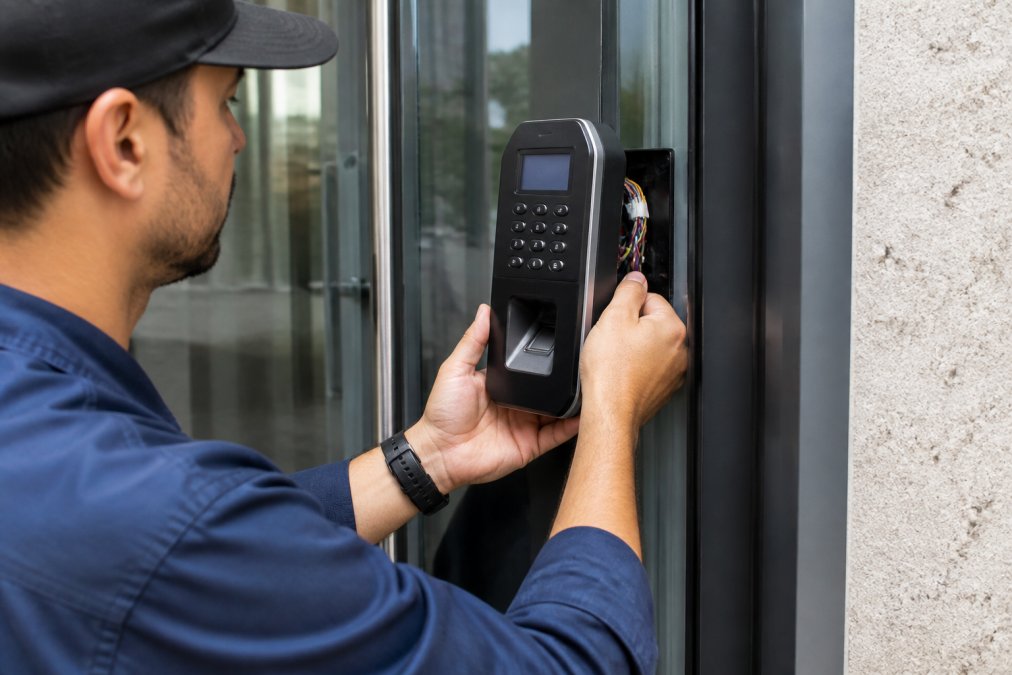
When installing a commercial access control system, hardware placement matters as much as the technology itself. Entry points should be protected: main doors, server rooms, executive areas, and loading docks. Each access point needs a reader (card, keypad, biometric scanner) and an electronic lock that integrates with the system controller.
The system requires a central server or cloud-based platform to manage credentials and permissions. This is where you define who can access which areas and when. A manager can revoke access instantly without replacing physical locks. A departing employee loses access immediately upon termination. A visitor's credentials expire automatically at the end of their appointment.
Installation involves running data cables (usually CAT6 or fiber) from readers to the controller. Power requirements vary by system, but most use 12V DC supplied through the same cable. For larger buildings, you may need multiple controllers in different zones, all communicating back to a central management platform.
Biometric authentication adds a layer of security that credentials alone cannot provide. Fingerprint, iris, or facial recognition systems eliminate the risk of lost or shared credentials. They work well in high-security areas like server rooms or executive suites. However, they require more training and maintenance than card-based systems.
Mobile-based access (using smartphones as credentials) is becoming standard. Employees use an app to unlock doors, eliminating the need to carry physical cards. The system can push notifications when access is used, creating an audit trail that's harder to falsify than traditional logs.
Integrating Video Surveillance With Access Control
Video surveillance and access control must work together to create situational awareness. When someone uses a credential to enter a restricted area, the system should automatically trigger recording at that location. When an alarm sounds, video should focus on the affected area. This integration transforms isolated systems into a coordinated security operation.
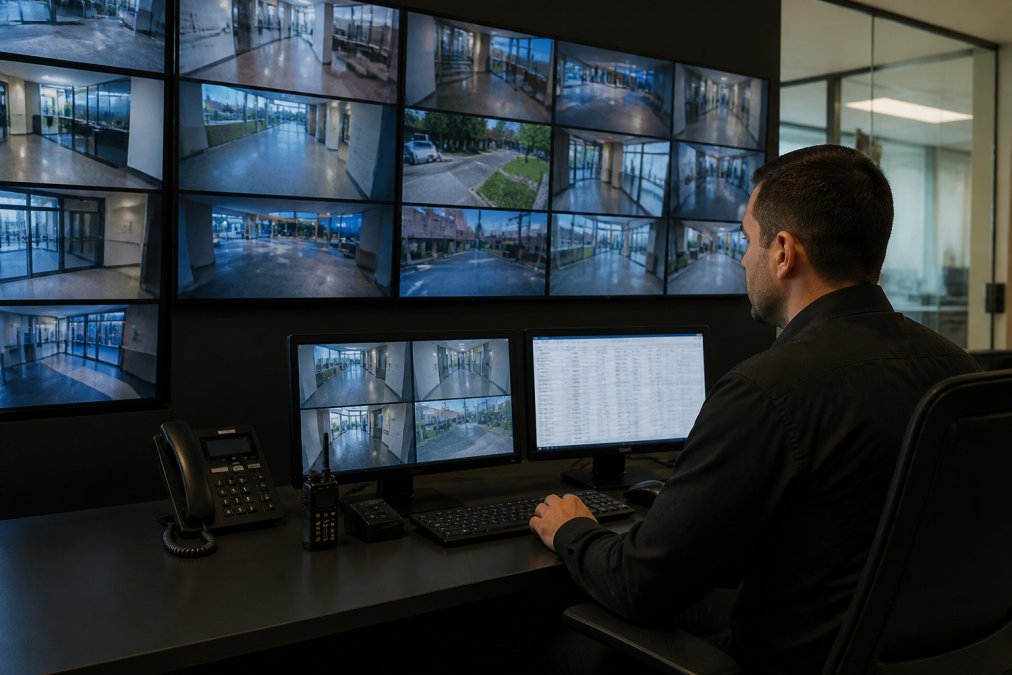
Modern IP cameras integrate directly with access control platforms. When you upgrade office building security systems, you're moving from analog CCTV (separate from access control) to IP-based video that communicates with your access control server. This allows rules-based responses: if someone tries to access a door after hours, the system records video, logs the attempt, and alerts security.
Camera placement should align with access points. Position cameras to capture faces clearly at entry doors. Cover hallways leading to sensitive areas. Monitor loading docks and parking areas. The goal is to have visual confirmation of every access event, not just a log entry.
Resolution and storage matter. Modern IP cameras shoot at 1080p or higher (nist.gov). At that resolution, you can identify individuals from footage. Storage requirements depend on your building size and activity level. A small office building might need 30 days of rolling storage. A larger facility might retain 90 days. Cloud-based systems scale storage automatically; on-premise systems require larger disk arrays.
Real-time monitoring capabilities are essential. Your security team should be able to view live feeds from mobile devices, not just from a control room. When an alarm triggers, the system should automatically display relevant camera feeds. This reduces response time and improves incident documentation.
Integration also improves investigation. When an incident occurs, you can search video by access control events. "Show me everyone who entered this room in the last 24 hours" becomes a simple query. Cross-referencing access logs with video footage creates an irrefutable record of who was where and when.
Cost of Commercial Security System Upgrades
The cost of upgrading office building security systems varies significantly based on building size, current infrastructure, and desired features. Pricing depends on the number of access points, camera locations, integration complexity, and whether you choose cloud-based or on-premise management.
A small office building with 5-10 access points and basic video surveillance might require moderate investment. A large facility with 50+ access points, multiple zones, and comprehensive video coverage requires substantially more. Additionally, installation labor, network infrastructure upgrades, and ongoing support affect total cost.
For accurate pricing tailored to your specific building, contact SOUTHMIAMILOCKSMTIH.COM directly. Our team can assess your current infrastructure and provide a detailed quote based on your security requirements, building layout, and budget constraints. We'll explain which upgrades deliver the most value for your situation.
When evaluating cost, consider long-term factors. Modern systems reduce the need for on-site key management and rekeying. They lower insurance premiums by demonstrating strong security. They improve operational efficiency by automating access control. The initial investment typically pays for itself within 3-5 years through reduced labor and insurance savings.
Don't compare pricing alone. A system priced 20% lower but requiring constant maintenance or lacking integration capabilities will cost more over time. Evaluate total cost of ownership: hardware, installation, training, maintenance, and support.
Compliance, Interoperability, and Future-Proofing
Modern office building security systems must comply with multiple regulatory frameworks. GDPR and CCPA impose requirements on how you collect and store access data (europa.eu). OSHA standards address workplace safety and emergency response. SOC2 compliance is increasingly required by clients and partners. Your security system must support audit trails, data encryption, and access controls that meet these standards.
Interoperability is critical. Your access control system should communicate with your video surveillance, intrusion detection, and visitor management platforms. APIs (application programming interfaces) allow different systems to exchange information. A system with open APIs can integrate with future technologies. Proprietary systems lock you in and become obsolete faster.
Future-proofing means building flexibility into your infrastructure. Wireless access points are easier to install and relocate than hardwired systems, but they require strong network security. Cloud-based management offers scalability but requires reliable internet connectivity and strong cybersecurity practices. On-premise systems offer control but require more IT resources.
Energy efficiency is often overlooked but matters for large buildings. Modern electronic locks use less power than older systems. LED lighting in cameras and control panels reduces consumption. When upgrading office building security systems, choosing energy-efficient components lowers operating costs and supports sustainability goals.
Consider future expansion. If your building will grow, your security system should scale without major replacement. Modular systems allow you to add access points and cameras incrementally. Centralized management platforms can handle hundreds of devices without performance degradation.
Implementation and Post-Upgrade Training
A successful upgrade requires careful planning and execution. Start with a detailed project timeline. Map out which areas will be upgraded first, which will experience downtime, and how access will be maintained during installation. For buildings with 24/7 operations, staggered upgrades minimize disruption.
Before installation begins, ensure your network infrastructure can support the new system. Modern access control and IP video require adequate bandwidth and reliable power. You may need to upgrade network switches, add backup power supplies, or improve cable management. These preparations prevent performance problems after installation.
Installation should be performed by certified technicians familiar with your specific equipment. SOUTHMIAMILOCKSMTIH.COM's team holds certifications in high-security systems like Medeco and Multlock, ensuring proper installation of complex components. Improper installation undermines the entire system's effectiveness.
Post-upgrade training is often the difference between a successful deployment and a failed one. Your security team needs to understand how to manage access permissions, monitor alerts, and investigate incidents. Facility managers need to know how to handle employee access requests and credential changes. Executives need to understand compliance and audit capabilities.
Many organizations underestimate training requirements. Plan for multiple training sessions covering different roles. Provide written documentation and video tutorials. Establish a support protocol for questions that arise after initial training. A well-trained team maximizes the value of your upgraded system.
After implementation, schedule regular system reviews. Check that access logs are being generated correctly. Verify that video is recording at all locations. Test emergency procedures to ensure that alarms trigger appropriate responses. Regular maintenance prevents small issues from becoming major problems.
Upgrading office building security systems protects your assets, employees, and operations while meeting regulatory requirements. Modern systems integrate access control, video surveillance, and intrusion detection into a coordinated platform that responds in real time. SOUTHMIAMILOCKSMTIH.COM brings over 30 years of experience installing and maintaining commercial security systems, with certified expertise in high-security locks and integrated solutions. Our team can assess your current infrastructure, design a system that meets your specific needs, and ensure proper installation and training. Contact us to discuss how upgrading your office building security systems strengthens your facility's protection and operational efficiency.
| Component | Purpose | Integration Impact |
|---|---|---|
| Access Control | Manage who enters which areas and when | Central to system coordination |
| IP Video Surveillance | Capture and store visual evidence | Triggers recording based on access events |
| Intrusion Detection | Detect unauthorized entry attempts | Alerts access control and video systems |
| Cloud Management | Monitor and manage system remotely | Enables real-time response and audit |
| Visitor Management | Track temporary access credentials | Integrates with access control for compliance |
Frequently Asked Questions
How do I know if my office building security system needs an upgrade?
Signs include outdated CCTV that no longer records in HD, legacy access control systems that don't integrate with modern software, frequent false alarms, inability to generate real-time alerts, or lack of remote monitoring capability. If your system is more than 10 years old, it likely lacks current threat mitigation features and interoperability with newer devices. A professional security audit can identify specific vulnerabilities and recommend upgrades tailored to your facility.
What are the main benefits of upgrading to a cloud-based security system?
Cloud-based security systems offer remote access from any location, automatic software updates without downtime, scalability to add cameras or access points without hardware expansion, real-time incident reporting, and reduced on-site hardware costs. They also provide better data encryption and compliance reporting for regulations like GDPR and CCPA. Integration across video surveillance, access control, and alarm systems becomes simpler, allowing unified platform management instead of separate systems.
How much should I expect to spend on a commercial security system upgrade?
Costs vary significantly based on building size, number of access points, camera count, integration complexity, and whether you're replacing legacy equipment or adding new capabilities. Factors affecting pricing include biometric authentication requirements, video storage duration, cloud service subscriptions, and installation labor. Contact a licensed security professional for a detailed quote based on your specific facility needs and compliance requirements.
Can I integrate my existing video surveillance with a new access control system?
Yes, modern systems are designed for interoperability through API integration and unified platforms. However, older CCTV equipment may not be compatible without upgrading cameras to IP-based models. Integration allows video footage to be linked with access logs, so you can review who entered a space and when. This unified approach improves incident response, reduces false alarms, and provides comprehensive facility management. A security professional can assess your current equipment and recommend compatible upgrades.
What compliance standards apply to office building security systems?
Depending on your industry and data handling, you may need to comply with GDPR (if handling EU resident data), CCPA (if in California or handling California resident data), SOC2 (for technology companies), HIPAA (healthcare), or PCI DSS (payment processing). Local building codes may also require specific security features. Your security system must support audit trails, data encryption, user permission controls, and incident reporting to demonstrate compliance. Work with a professional to ensure your upgrades meet applicable regulations.
Should I choose on-premise or cloud-based security management?
On-premise systems offer more control and may have lower ongoing costs, but require on-site hardware, regular maintenance, and IT resources. Cloud-based systems provide scalability, remote access, automatic updates, and lower upfront costs, but depend on internet connectivity and monthly subscriptions. Many modern facilities use hybrid approaches: cloud management with local backup systems. Your choice depends on building size, IT capability, budget, and whether you need remote monitoring across multiple locations.
What training do employees need after a security system upgrade?
Staff should understand how to use new access control methods (keycards, biometric readers, mobile credentials), report security incidents, respond to alarms, and follow updated emergency protocols. Management needs training on system administration, user permissions, audit reports, and incident response procedures. Many security upgrades include vendor-provided training sessions. Ongoing training ensures employees use the system correctly, reducing false alarms and improving overall security effectiveness.
This article was written using GrandRanker