 listicle
Commercial Access Control Systems in Wynwood: 2026 Guide
Table of Contents
- Why Wynwood Businesses Need Purpose-Built Access Control
- Commercial Access Control Systems: A Side-by-Side Comparison
- Keyless Entry Systems for Business: Key Fobs, Cards, and Mobile Credentials
- Commercial Security System Installation: What to Expect On-Site
- Integrating Video Surveillance and Smart Building Platforms
- Access Control Maintenance Services: Protecting Your Investment
- Cybersecurity and Code Compliance for Networked Systems
- Conclusion: Choosing the Right Security Partner in Wynwood
- Frequently Asked Questions
Last Updated: September 6, 2026
Wynwood's converted warehouses and mixed-use buildings present a security paradox: the same open, industrial character that attracts tenants and customers also creates dozens of entry points that need protection. Commercial access control systems in Wynwood have moved beyond simple locks and keys, and property owners who treat them as an afterthought usually pay for it in unauthorized entry, theft, and liability. This guide breaks down what actually matters when securing these spaces, from credential types to code compliance, so you can make an informed decision rather than a reactive one.
Commercial access control manages who can enter specific areas using electronic credentials rather than metal keys. For Wynwood businesses, the core challenge is balancing security with foot traffic. Below, we cover system types, installation expectations, and maintenance, with practical advice for small retail and multi-tenant buildings.
Why Wynwood Businesses Need Purpose-Built Access Control
Generic locks offer no visibility: a copied key grants permanent access with no record of entry. Electronic access control replaces keys with credentials that can be instantly revoked and generate an audit trail.
Wynwood properties blend retail, studio, and residential uses in buildings originally designed for light manufacturing, creating loading docks, shared corridors, and rooftop access points a standard lock was never designed to secure. A purpose-built system restricts access by role and schedule, so a delivery driver enters the dock during business hours while tenant storage stays locked around the clock.
Access logs also protect property managers in disputes, showing when a contractor or former employee last entered. That documentation matters for liability and insurance, something no mechanical lock provides.
Commercial Access Control Systems: A Side-by-Side Comparison
The right system depends on your building's layout, traffic volume, and budget. Here is how the main options compare for Wynwood properties:
| System Type | Best For | Credential | Key Strength | Main Limitation |
|---|---|---|---|---|
| Key Fob / Card Reader | Multi-tenant, offices | Proximity card or fob | Cheap to replace credentials | Cards can be shared or lost |
| Keypad / PIN Entry | Small retail, back offices | Numeric code | No physical credential to lose | Codes get shared; no individual audit trail |
| Biometric (Fingerprint) | High-security areas, server rooms | Fingerprint scan | Strongest identity verification | Higher cost; can be slow at high traffic |
| Mobile Credential | Modern buildings | Smartphone app | Remote issue/revoke; no cards to buy | Requires network reliability |
Most Wynwood businesses start with fobs or cards because they balance cost with control: each credential is uniquely tied to an individual, and deactivating one takes seconds. Keypads are cheaper but create headaches when codes circulate. Biometrics are most secure but overkill for retail, better suited to server rooms or cash handling.
Keyless Entry Systems for Business: Key Fobs, Cards, and Mobile Credentials
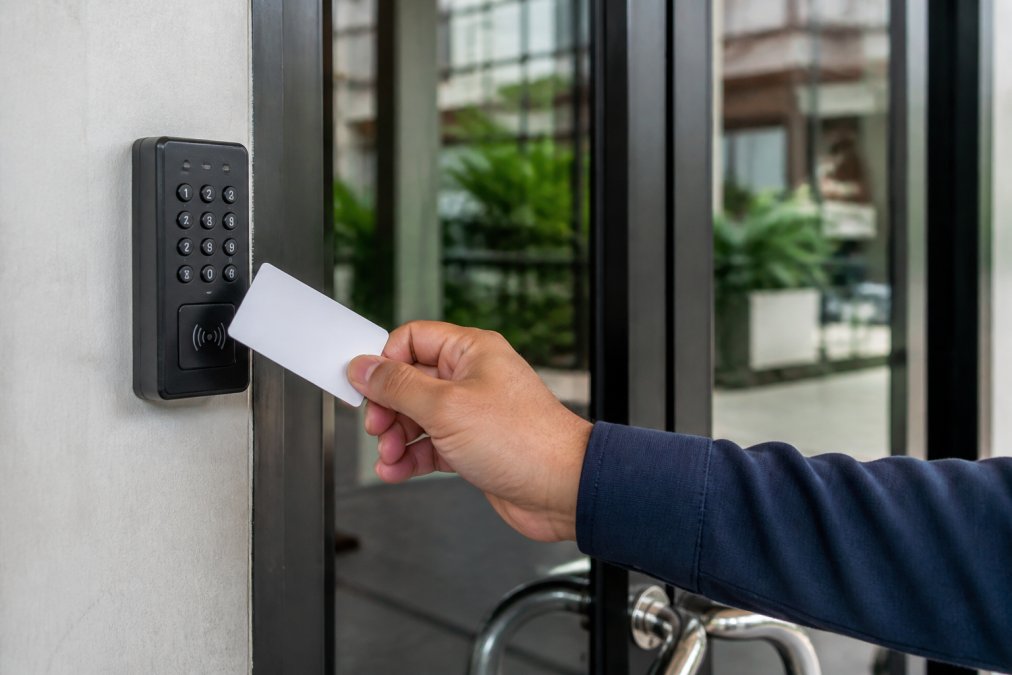
Keyless entry systems solve key control entirely: when an employee leaves, you delete their credential instead of rekeying; when a vendor needs temporary access, you issue a fob that expires on a set date.
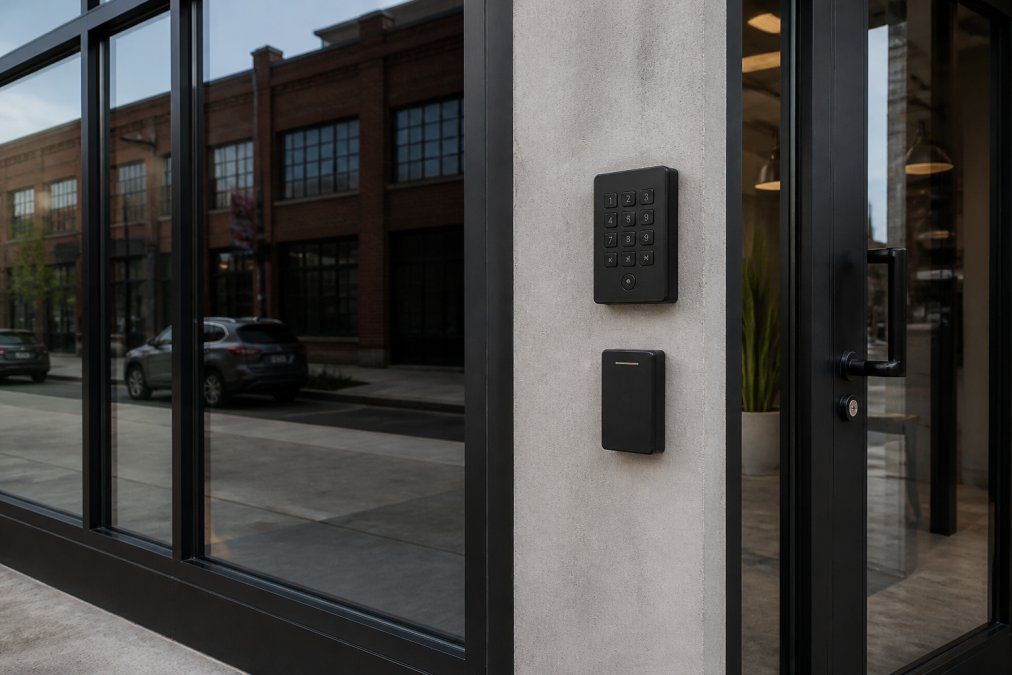
Fobs and cards work through a proximity reader that communicates with an electronic strike or magnetic lock. Some systems support mobile credentials via smartphone app, useful for short-term access like letting in a contractor without being on site.
Fobs are simple and work even if the network goes down; mobile credentials offer remote management flexibility but depend on connectivity. Many modern systems support both, letting you choose per user.
Commercial Security System Installation: What to Expect On-Site
Commercial installation is bigger than swapping a cylinder lock. A single-door install takes a few hours; a multi-door system with network integration can take a full day or more, depending on door frames and wiring.
The process starts with a site survey evaluating each entry point, door and frame condition, and power/network availability. Older Wynwood buildings often have non-standard frames or no nearby power, requiring additional work before the strike goes in.
The installer then mounts the reader, runs wiring to the controller, and configures software. Door alignment matters: a strike only works if the latch meets it cleanly, so a good installer addresses sagging doors during the visit.
Professional installation is distinguished by attention to details invisible once cover plates go on. Here is what should happen on a typical multi-door install:
1. Power and Fail-Safe Wiring. The most common error is incorrect wiring of the power supply. For egress doors, the lock must be fail-safe (unlocks on power loss), a life-safety requirement under the Florida Building Code (floridabuilding.org). Technicians should verify by cutting power and testing the door; skipping this is the number one cause of fire marshal violations.
2. Reader Placement and ADA Compliance. The operable part of the reader must be no higher than 48 inches from the finished floor and positioned so a person can approach without standing in the door swing (ada.gov). In narrow Wynwood corridors, this often means mounting on the push side, requiring additional conduit runs.
3. Conduit and Cable Protection. In industrial conversions with exposed masonry, surface-mounted conduit must be secured every few feet and must not interfere with fire-rated assemblies. Any penetration must be sealed with fire-stop putty to maintain the rating; skipping this can void fire insurance.
4. Network Drop and Controller Location. The controller needs a secure, dry location, not a shared electrical room or above a ceiling tile. It should be in a locked enclosure, ideally a dedicated IT closet. The network drop must be tested for connectivity and speed to avoid intermittent lockouts.
5. Software Configuration and Credential Assignment. The installer should not leave until every credential is tested and software is configured with your user hierarchy, including admin accounts with strong passwords, access schedules, and audit logging. They should walk you through revoking credentials and pulling entry reports.
6. Door Frame Reinforcement. Many Wynwood buildings have hollow-metal frames not designed for an electronic strike's lateral force; without reinforcement, the strike loosens and the door binds. A professional will install a reinforcing kit or weld a plate behind the strike, a hidden cost essential for long-term reliability.
Installation cost is driven by labor for site-specific conditions, not hardware. A straightforward install on a modern frame with existing power and network might cost $500 to $800 per door; a complex install on an old frame with no power can exceed $1,500. Get a detailed, itemized quote to avoid surprises.
Integrating Video Surveillance and Smart Building Platforms
Effective security setups pair access control with video surveillance: logs tell you who used a credential, cameras show what happened. Many modern platforms combine both, letting you click an access event and pull up corresponding footage.
Integration with smart building platforms extends this: if your building uses a management system for lighting, HVAC, or elevators, access control can share data. Elevator integration, where a credential grants access only to specific floors, prevents someone with a ground-floor fob from entering private spaces.
The key requirement is that your system speaks the right protocol. Look for IP-based systems supporting standard integration interfaces; proprietary systems will limit future options.
Access Control Maintenance Services: Protecting Your Investment
Maintenance separates a system that lasts a decade from one that fails in two years. Exterior Wynwood readers face salt air, humidity, and direct sun, all of which degrade electronics.
A common mistake is assuming the system needs no attention. Readers accumulate grime, batteries die, and firmware updates go uninstalled. Each is minor alone, but they compound into a system that fails when you need it most.
A scheduled program addresses these issues before downtime: a technician tests each reader, checks alignment, verifies backup battery, and updates software. For businesses that cannot afford an unexpected lockout, this is the difference between a minor service call and an emergency.
Cybersecurity and Code Compliance for Networked Systems
Networked access control systems carry the same risks as any connected device; an unsecured system can be attacked remotely to unlock doors. Basic protections include changing default passwords, updating firmware, and segmenting access control from guest Wi-Fi.
The threat is not abstract. Many Wynwood buildings were retrofitted piecemeal, leaving IP-based controllers in unsecured mechanical rooms or above drop ceilings on the same switch as point-of-sale terminals. An attacker on that segment can scan for default credentials on brands like HID Mercury, CDVI, or Paxton, then unlock doors and exfiltrate entry logs revealing staff patterns.
A more sophisticated vector involves credential cloning via the OSDP bus. With the older Wiegand protocol, the data line is unencrypted, allowing a tap to replay a valid credential (securityindustry.org). Upgrading to OSDP with Secure Channel encryption, the Security Industry Association's recommended standard, closes this known vulnerability that consultants routinely flag in penetration tests.
On compliance, Chapter 9 of the Miami-Dade County Code adopts the Florida Building Code, governing egress for your occupancy classification. A converted warehouse is often mixed-use or assembly, triggering panic hardware and fail-safe locking requirements. Florida Building Code Section 1010.1.9.4 requires egress with a single motion, operable from inside without a key or special knowledge, meaning electronic strikes must be fail-safe unless a delayed egress exception is approved.
The ADA and 2010 ADA Standards set operational force for door hardware: with a closer, push/pull force must not exceed 5 pounds. The operable part of the reader must be no higher than 48 inches above the finished floor per Section 309.3. A qualified installer verifies these on site, as a violation is a liability, not just a fine.
When soliciting bids, ask each vendor whether they will deploy OSDP Secure Channel readers and place controllers on a dedicated VLAN. Hesitation on either is a red flag; the cheapest bid often skips these steps, leaving you compliant on paper but vulnerable in practice.
Conclusion: Choosing the Right Security Partner in Wynwood
Securing a Wynwood property requires understanding how your building is used, choosing credentials that match traffic, integrating video and building systems, and maintaining everything over time. The right partner brings technical expertise and local knowledge.
SOUTHMIAMILOCKSMTIH.COM brings over 30 years of locksmith experience to commercial access control projects across Miami, with certified technicians in Medeco and Multlock high security locks. Our licensed, bonded, and insured team handles everything from a single door installation to a full multi-tenant system, backed by the latest tools and technology. Secure your Wynwood property with a system built for the way your business actually operates.
Frequently Asked Questions
What are the benefits of cloud-based access control for commercial buildings in Wynwood?
Cloud-based access control lets you manage doors and users from a phone or computer without on-site software. You can grant vendor access, revoke credentials for former employees, and review access logs instantly. For Wynwood's mixed-use buildings, this means one platform can secure retail storefronts, artist studios, and offices. Remote management reduces the need for physical key handoffs and gives property managers a real-time audit trail. It also simplifies scaling as your business adds more entry points. Ask your installer if their cloud platform supports automatic software updates and multi-factor authentication.
How do keyless entry systems improve security for warehouses and retail spaces?
Keyless entry eliminates the risk of copied keys and provides a clear record of who entered and when. For a warehouse, you can set schedules so only the shift manager has access during off-hours. Retail spaces benefit from instant lockdown capabilities during an incident. If a fob or card is lost, you can deactivate it immediately without rekeying the entire facility. Many systems use IP-based proximity readers and electronic strikes, which integrate with your existing alarm or video setup. This layered approach helps deter internal theft and unauthorized access to inventory or cash-handling areas.
How long does it take to install a commercial access control system?
Most single-door installations are completed in one business day. A system covering multiple entry points, like a main office door, a warehouse bay, and a parking garage gate, typically takes two to four days depending on the condition of your door frames and wiring. The technician must mount the reader, install an electronic strike or magnetic lock, and run cabling to the control panel. Pre-wiring for new construction is faster than retrofitting an existing building, especially in older Wynwood warehouses with concrete walls. Your installer should provide a detailed timeline after a site assessment.
Can I integrate my existing security cameras with a new access control system?
Yes, most modern access control platforms are built for system integration. When someone presents a credential at the door, the system can trigger a camera to capture a snapshot or start recording. This ties the access log to video evidence, which is critical after an incident or dispute. Your installer should verify that your current IP-based cameras can communicate with the new security platform. If you have an older analog system, you may need a video encoder to bridge the technology gap. Plan for this integration during the design phase to avoid compatibility issues.